Brainstorm

Brainstorms

Scheduled call and data timer clearing

Posted on 2010-02-12 08:46 UTC by Filip Hofer. Status: Under consideration, Categories: User Experience.

It would be very useful to be able to define intervals for automatic timer clearing. For instance, I have a weekly FUP for my data plan and monthly billing for the calls. The counters could then display the numbers for the current (ongoing) period and for the previous (finished) period.

Currently, the user needs to clear the timers manually in order to get useful information from the timers. Moreover, the call and data timers should be at one spot. Now: data timer is in the control panel, call timers are in the Phone app.

Discussion:
http://talk.maemo.org/showthread.php?p=522619#post522619


Open apps from the statusbar menu

Posted on 2010-02-12 15:29 UTC by anto arts. Status: Under consideration

Add support for opening apps from the statusbar menu


Consistent Address Book

Posted on 2010-02-12 16:11 UTC by Markus Berchtold. Status: Under consideration, Categories: User Experience.

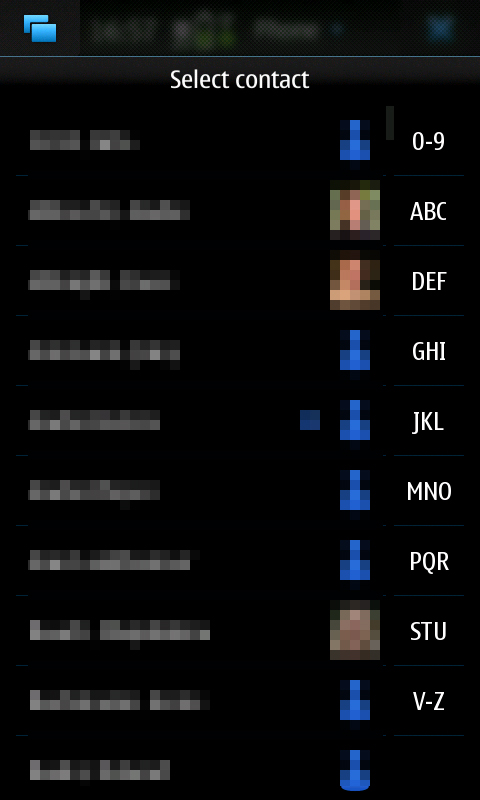
If you are in the phone App and choose Select Contact  you will have an alphabetical helper on the right side.

See this screen shot http://www.marktold.com/n900/adressbook_02.jpg

with quick links

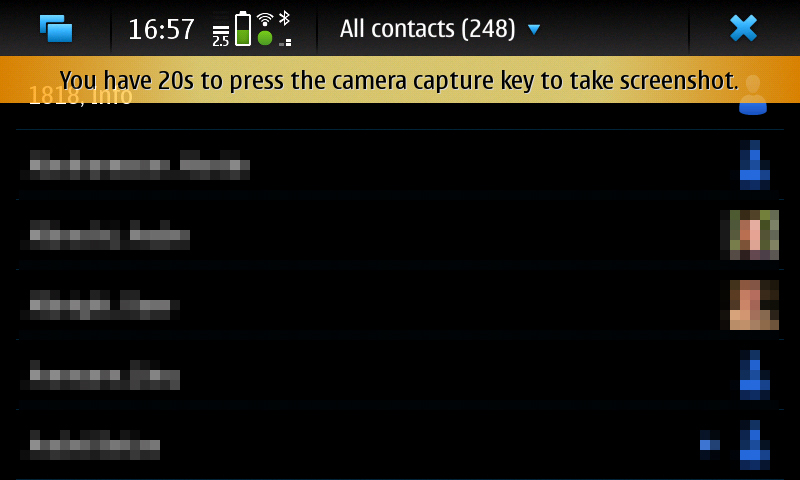
If you are in the Contact App you will not have this

without quick links

See this screen shot http://www.marktold.com/n900/adressbook_01.jpg

This should be consistend.

Also it should be possible in the Select Contact list to hold down on a contact to get into edit Mode.


Discussion in Talk is here http://talk.maemo.org/showthread.php?t=44269


Stylus and finger friendly UIs

Posted on 2010-02-14 11:36 UTC by Tom Tanner. Status: Under consideration, Categories: Desktop, User Experience.

The N900 has a high-resolution (800x480 on 3,7") and a very accurate, high-precision resistive touchscreen. This makes it possible to draw with fine detail, write, select, or press small buttons on the screen using the stylus of the N900. In addition the fingers can be used for coarse input.

Click to read 530 more words
 
Click on the screenshot to see a larger one!

Call with Skype should have details

Posted on 2010-02-16 10:07 UTC by Markus Berchtold. Status: Under consideration, Categories: User Experience.

If you have a skype account you can easely choose "Call with Skype".

Unfortunately unlike in regular phone numbers where (home), (work) and so is added this is missing in the "Call with Skype" buttons.

http://www.flickr.com/photos/marktold/4362235016/

This means you have to cross check which number you actually want to call.