

Planet maemo: category "feed:e3303fffa0702fc00ccdaa6da631c707"

Andrea Grandi
Since Os2008 for N810 is out, a lot of people were asking about the possibility to install it on their N800. Nokia will relase Os2008 for N800 too, but at the moment they don't offer the possibility to download it since the N810 firmware it's not 100% compatible with the old N800.

The only way to download a Nokia tablet firmware is being the owner of a tablet. The user has to enter it's own MAC-address to be able to download the file. To download a N810 firmware you need to have a valid N810 MAC-address.

A post on News.com describes the exact procedure to follow if you want to try this in your N800:
  1. Go to the N810 software download page.
  2. Enter the serial number for a valid N810 device. To get one of these, pick any number between 001d6e9c0000 to 001d6e9cffff. Pick any random 4 digits (between 0-9 and a-f hex) as the last 4 digits.
  3. Download the file named "RX-44_2008SE_1.2007.42-18_PR_COMBINED_MR0_ARM.bin."
  4. Download the latest firmware-upgrading software, "flasher-3.0".
  5. Now that you have the firmware flasher and the 2008 N800 software update in the same directory, open up a terminal (on a Linux desktop/laptop), and type:

    chmod a+x ./flasher-3.0
    ./flasher-3.0 -u -F RX-44_2008SE_1.2007.42-18_PR_COMBINED_MR0_ARM.bin

  6. That will unpack the software, and it may take a few seconds. Once that is done, plug the N800 into your computer, using the included USB cable, then reboot the Nokia device while holding the home button. Now execute the following commands:

    sudo ./flasher-3.0 --enable-rd-mode
    sudo ./flasher-3.0 -k zImage -f
    sudo ./flasher-3.0 -n initfs.jffs2 -f
    sudo ./flasher-3.0 -r rootfs.jffs2 -f -R

  7. That should be it. Your device should now boot up with the new 2008 version of the Nokia Maemo operating system.
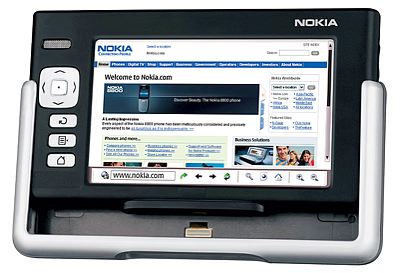
Note: Nokia DOESN'T SUPPORT this procedure in ANY way. You can follow this procedure at your own risk. Neither me or Nokia have the responsability of any damage caused to your device.
Categories: nokia tablet n800 n810 os2008 os 2008 flashing firmware
Andrea Grandi
The final version of Maemo SDK 4 is out. Like most other people I couldn't wait for the final release and I installed the beta version. The big question, when I did read about the final version was "how can I upgrade to the final version without installing it from scratch?!". Luckly one kind person helped me on maemo-developer mailing list, and suggested me to do a dist-upgrade from inside the Scratchbox environment. So, login into tour Scratchbox environment and execute this:

[sbox-SDK_BETA_X86: ~] > fakeroot apt-get update
[sbox-SDK_BETA_X86: ~] > fakeroot apt-get dist-upgrade

That's all! I don't know if this is the official method to do the upgrade, but it worked for me. I checked, after the upgrade, if I had the right packages installed, using this page: http://tablets-dev.nokia.com/4.0/4.0b_vs_4.0_content_comparison.html
and they were right.

Categories: maemo sdk n810 linux software development kit upgrade chinook 4.0
Andrea Grandi

N810 maemo submission accepted

2007-11-09 19:36 UTC  by  Andrea Grandi
0
0
Me too :D

I'm too happy!!! Thank so much Nokia!!!

I hope to get it as soon as possible so I will write a good review about it and I'll begin to test some application :)
Categories: n810 nokia maemo submission accepted winner
Andrea Grandi

Installing Maemo SDK 4 Beta

2007-10-25 16:12 UTC  by  Andrea Grandi
0
0

Introduction

Maemo is an opensource development platform for Linux based devices. Actually is the base for the operating system installed on Nokia N770, N800 and the upcoming N810 but it could be adopted, with few changes, even by other similar devices.

Click to read 1440 more words
Categories: chinook
Andrea Grandi

Spim - MIPS Emulator for N770

2007-10-25 16:07 UTC  by  Andrea Grandi
0
0
Spim is a self-contained simulator that will run MIPS32 assembly language programs. It reads and executes assembly language programs written for this processor. spim also provides a simple debugger and minimal set of operating system services. spim does not execute binary (compiled) programs.

I made a port of spim for the Nokia 770/800 device just for fun and to start learning how to do ports.

Download

You can download spim for N770/800 from here: http://www.ptlug.org/download/packages/spim_7.3-1_armel.deb

References

To create the package i followed the guide lines in these websites:

Categories: spim
Andrea Grandi

Installing Maemo SDK for Nokia 770

2007-02-04 14:21 UTC  by  Andrea Grandi
0
0

Introduction

Maemo is an opensource development platform for Linux based devices. Actually is the base of the operating system installed on Nokia 770 and 800, but it could be adopted, with few changes, even by other similar devices.

Click to read 2774 more words
Categories: gtk+
Andrea Grandi

Nokia 770: Linux in the palm of a hand

2007-01-25 08:40 UTC  by  Andrea Grandi
0
0

I was looking for an handled device that allowed me to do things I could never do with other devices and with a good development kit.

After a long waiting, finally I choose Nokia 770.
Beyond the trust I've in Nokia for a long time, because of its good products, this device had a particular thing inside that convinced me to buy it: it's totally based on Linux and all its software (except for Opera, Flash and some drivers) is opensource.

Even if N770 is produced by Nokia, it's not a phone but an Internet tablet that can be used to browse the web, chat with friends, read emails, make VOIP calls, watch a video and listen to mp3.

Connectivity is one of the points of strenght of this device: it has Bluetooth and WiFi 802.11 b/g. Connection configuration is so easy that everyone can do it.

As I said before, the most interesting thing of this device is its operating system: Linux. More in details, it's an ad-hoc version called Maemo based on the Debian distribution. Maemo is developed and supported by Nokia and by a very large community of developers and geek users thatday by day develop new application or port existing one on this platform.

Nokia 770 graphical interface is based on Gtk library and it's called Hildon. You can develop application in C or Python language but recetly also other languages are available: Ruby, Mono/C#, Perl, ecc...

Developers have a real development kit that, thanks to the Scratchbox enviroment, gives you the opportunity to test application on the normal PC, then cross-compile them and finally install them on the device.

My next objective is to publish here in these pages a simpla tutorial that will explain how to install and configure the Maemo development environment on your PC.

I think Nokia and Maemo is a very good platform to develop applications. The release of N800, after the success of N770 gives us good news about Nokia future plans about opensource. I really hope it's not only a trend of this moment and that Nokia will move even more towards opensource.
Categories: 770