



MicroB ships as the official browser for IT OS 2008
From http://browser.garage.maemo.org/news/9/
Posted on 2007-11-09 10:00:00 UTC.
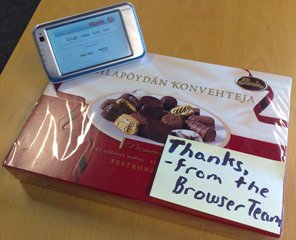
Some people may have noticed, but I'm confirming it for everyone else: MicroB has shipped as the only (and hence default...) browser with IT OS 2008.
I'd like to say this is a win for open source. MicroB is the engine used by /usr/bin/browser on IT OS and it is based on Mozilla Gecko.
There are some high points and some low points for this release.
Good news
- The default start page is now useful. Many thanks to Kevin Zhang, Tuukka Tolvanen, disq, and TPC for helping with the page. Thanks to Alicia Patterson, John Lilly, and others at mozilla.org for the art work. Thanks to Erkko Anttila and again to Jorma Virkkunen for letting us fix up the page.
- The Browser default plug-in has been renamed to Default plug-in, RealPlayer, Windows Media and the description has been changed to Default plug-in. Supports RealPlayer and Windows Media. Because of this, you can now load BBC News Video, Radio, and French TV stations, e.g., France2. Thanks to Marc-Andre Lureau for complaining about this. Thanks also to Jens Wilke who has been helping us investigate web compatibility and get fixes to Nokia properties for MicroB.
- There is a project to help enhance MicroB, called browser-extras which is busy porting and packaging content and extensions to improve your browsing experience as well as reduce the pressure on our in house developers. Thanks to their contributors there for settings it up and working on it.
Bad news
- If you like Yahoo! Music (which includes
Music Videos), or many Internet Radio stations (e.g., ABC Radio affiliate
WMAL630
in Washington, D.C.), you will unfortunately get an
error from Media player when you try to use it. Yahoo's content supports at
last Windows Media and Flash plug-ins. Yahoo's content also properly favors
Windows Media. Unfortunately the Media player does not properly support ASF
playlist files unless their file extension is .asf. In order to listen to Yahoo
content, you will have to disable the Default Plug-in. To do that:
- Open the application menu > View > Show toolbar. Make sure the toolbar is visible for the mode you're in (Full screen / Normal screen). -- Yes, I just noticed that "Normal screen" appears in the user interface. This is the least of my language worries, I am quite embarrassed by the quality of the text.
- Click the bottom right button in the toolbar (it looks like a magnifying glass, but it's really an overloaded kitchen sink button) > Components > Default plug-in, RealPlayer, Windows Media.
- Try loading your Yahoo media property again. You should now get Flash-based media delivery.
- We're now using Nokia-sponsored text for all languages, including English US
and English GB. In the betas we shipped Mozilla's text for English. This is a
very mixed bag. Unfortunately it meant that we didn't get very good testing
coverage of the text we're shipping. And it really shows in a number of places.
I take the blame for this. It meant that our beta testers could test the engine
as the localizations we were given were generally so broken that you, e.g. got
a famous yellow/red error indicating Gecko couldn't render the error page when
you could not reach your proxy. Unfortunately the localizers are not familiar
with localizing XML text and consistently generated text which was invalid, and
until the very end we didn't have any tools to help them recognize this problem.
Next time, they'll hopefully do better. There are two main places where you
will notice this, again, I'm sorry. We will try to ship a beta release which
fixes the text shortly. I haven't decided if we'll release back ports for the
other platforms in sync with this fix or before we fix this.
- The HTTPS authentication dialogs repeat the server and message in both the server and message fields (oops). This was not present in any of our betas, so I didn't notice it while I was traveling with my devices last month.
- The netError messages don't fit Nokia style, specifically the line below the title should really show just the site/path, and not text.
What's coming?
We have a number of long term projects;
- Upgrading Gecko to a more current version, which will probably include switching to using Cairo throughout Gecko instead of just for <canvas>.
- Betas and backports. Hopefully within a week of the IT OS 2008 image being posted I'll be able to announce packaged versions for all the other platforms for which we've shipped betas, as well as OS2007HE. There is a package available, but I felt that its quality was not up to snuff (yes, I know the package I'm announcing here isn't perfect, but what I saw when I first opened it was more glaring and it wasn't the current version at the time). We'll try to keep all of our releases in sync so that we don't have to deal with people complaining about bugs in one system and having people with a different system say that they don't see the bug (when the reason would have been because one of the versions was newer).
Changes
This is a list of changes since 4, to the best of my ability. Please remember that there have been occasional updates since that announcement, and as I have not had time to review or publish the announcements, there is no specific changelog for them, which means you may not remember some of these bugs. Note that I'm only reviewing changelogs for browser related packages, it's possible that bugs affecting browser have been fixed in packages upon which the browser depends. There's no easy way for me to learn about such things.
I'm assuming that changes happened after August 9, 2007.
User reported bugs
- Selecting part of the url field while VKB is hidden triggers VKB which selects the entire string. making a selection in url field while VKB is hidden triggers VKB which selects the entire string
- The VKB should be usable when the toolbar is hidden. Keyboard will not stay open/up with toolbar hidden
- Link navigation should be triggered by key-up not key-down and only if scrolling isn't triggered
- As always, we encourage people to file detailed bug reports! Your bug could be listed in this section next time.
Multimedia
- Default plug-in now includes mime type when it sends content to handlers, this fixes problems with RealPlayer audio samples from amazon.com. Note: This requires the Media player to register the content types
- Content of type application/x-mplayer2 should be supported (editor believes this is fixed in IT OS 2008 on the Media player side, people trying to take advantage of this fix with MicroB on older releases will probably need to hack a .desktop file).
- Links to mp3 contents should open Media player (again because we're passing along the mime type?)
- Links to WVX (and presumably anything else) with query parameters should be properly sent to Media player
- Loading an mms:// url should work
- Add support for application/vnd.rn-realsystem-rmj; treat it video/x-real, and audio/x-real as streamable urls (instead of saving to disk before launching Media player)
- Browser default plug-in "Description" field is now very short, useless and incorrect.
- Added support for WMODE plug-ins (thanks to karlt for the work) Windowless plug-in support for X (WMODE)
- We should no longer be violating NPAPI to talk to Flash.
- Some possible plug-in crash should be fixed
- It's possible to re-enable plug-ins after they are disabled due to low memory conditions.
- Mime types were added to the default plug-in to try to fix wave file support.
- Plug-ins should not be deleted (!?) if they're disabled and the browser quits unexpectedly (crash/kill/battery removed)
- Browser shouldn't crash when quit if there are no plug-ins....
Zooming
- Each page in back/forward history should remember its zoom level
- Pages with HasUnloadListeners will now have their zoom state preserved if the page is scrolled. (Editor's note: Otherwise it isn't. These are edge cases, if you care, you're welcome to learn Gecko or write your own layout engine.)
- Removed code to add extra scrollbars (this code doesn't exist in CVS)
- When you visit an image directly in the web browser, if it's bigger than the
available window size, you can tap it to shrink it to fit. If you had zoomed it
before tapping, when you tap again, the zoom level will be restored. This zoom
out will try to ensure the area you clicked on is visible close to where you
clicked.
- If the image at 100% would fit in the window, and you zoom it to e.g., 240% so that it no longer fits in the window, you can't click to zoom out -- This seems reasonable.
- In testing it seems that if your window is zoomed and you then load an image without a webpage and you want to use tap to zoom, you will first have to change your zoom.
- On the N810 with the toolbar visible and shrink to fit active, opening the keyboard tray will result in the image shrinking again. The keyboard indicator is awful and needs to be redesigned, this is one of many ways that it breaks the web browser.
User interface
- Settings dialog title text is now properly distinct from the menu item that opens it. See footnotes.
- Plug-ins has been renamed to Components to reflect the fact that it should include both Plug-ins and Extensions.
- New windows will now appear last in the window list (before they would return to their previous position if there was one, otherwise they were added to the top)
- Toolbar "Connecting" indicator will no longer accelerate with each successive load attempt
- Tapping link should always update toolbar address (note to self: figure out if this was a regression)
- Rapidly clicking the address bar quickly immediately after opening the first web browser window will result in the default url showing when it loads, instead of leaving a blank field. (editor's note: it's unclear that this change makes sense or is an improvement. the internal bug gives a slightly different actual result which is indeed slightly strange, however the required shipping result does appear to be a regression from beta. If someone feels that the new behavior is bad, please file a bug .)
- Windows menu should not be misplaced after loading a page with a very long title
- The toolbar buttons are no longer focusable (it used to be possible to move focus into them after interacting with the completion widget, this was surprising. As it isn't seen to be a useful behavior, it was removed).
- The Windows submenu should be properly positioned when web pages have long titles.
- The RSS button is now to the left of the urlbar.
- Restoring a backup from MicroB in OS2007 into an OS2008 device will result in a browser that crashes instead of just looping infinitely (please don't ask why this is considered a feature).
- You can now save the contents of links using the Context Menu.
- about: now has localized text for the about:config link. make description for about:config localizable
- Set Preference in about:config now works with boolean types
- Deleting an item from history should leave focus at the next item instead of lost in the void.
- Pressing hardware right should not scroll the components list of the components dialog.
- Focus for popup windows is properly tracked so trying to load a url in the window will not go to the window that had triggered the popup.
- Save target as (using Browser) is now available to all libmime consumers (well, at least Chat)
- UI should be more responsive while the browser engine loads
- Automatic is no longer included as an encoding in the Details dialog. In Gecko, we will always let Gecko detect an encoding, and the encoding shown in the dialog should be the encoding Gecko has detected, the user can choose any alternate encoding but it doesn't make sense to select automatic since that's always used first.
- Trying to save a page after asking the browser to quit with lots of windows open shouldn't crash.
- History list should no longer truncate Cyrillic entries (no one explained if this would affect other non Latin encodings, the bug reports losing 1 character at the end of titles)
- The password saving dialog was re-implemented.
- Application Switcher now shows favicons with size 64x54 from gtk_window_set_icon. How this affects the browser on older platforms is uncertain as it seems we barely got testing for IT OS 2008. I also have no idea what happens when the only favicon for a site is 64x64, presumably the icon won't look great.... People are encouraged to file a bug complaining about this behavior (only file one bug, everyone else should just vote for it).
- Find toolbar will remember search string during the session even if you close and reopen it.
- Opening the find drop down will now highlight the most recently searched for item (i.e., the one closest to the find bar. hildon-find-toolbar-example.c
- OK in settings dialog should really save the settings....
- Switching to full-screen mode while a page is loading will stick, instead of restoring normal view.
- Launching the browser with a url should load it directly without first loading about:blank.
- Focus should move to the web page when loading a page from the location bar.
- Selecting text in an <input> should have a better chance of working instead of being treated as a thumb-panning action.
- It should still be possible to trigger the VKB and FKB from <input>s.
- VKB should be able to open on places like www.hotmail.com because we now process the mouse up instead of the click event (which sites can choose to swallow).
- Tapping an input field that would appear below the VKB might properly scroll the field into view after showing the VKB (or it might not, an extra fix got posted around the time of this announcement and it looks like it wasn't accepted for the release).
- Frame details page size should show the size of page in the frame, and not the frameset containing it.
- Page load should succeed even if interrupted to save a new connection if you picked one in response to a select connection dialog.
- RSS content should be indicated when pages finish loading
- Unrequested pop-up windows should now trigger an information banner when Enable pop-up windows: is set to Only requested.
- Found and fixed some instances of using freed memory relating to opening and closing browser windows.
- Loading an image directly will result in a scaled down version if it's bigger than the window. browser.enable_automatic_image_resizing
- Start page should be shown with a url of Home.html
- Tabbing will now focus links because using accessibility.tabfocus = 7 meant that hardware navigation would not work on pages without textareas.
- Native theming for <select> widgets is mostly implemented.
- Native theming for <input type=checkbox> and <input type=radio>
- Height of <input type=file> should be reasonable
- RSS channel items should not be duplicated
- Pages that serve RSS content with XSLT (i.e., BBC) should trigger the RSS toolbar button.
- Trying to get a context menu on an automatically resized image should not result in continuous swaps between resized and normal image states. Similarly, it should be possible to pan non resized images, instead of just having them toggle between states.
- Note that you shouldn't use more than 4 browser windows (Editor recommends 3), unfortunately a related preference browser.sessionhistory.max_entries was tuned from 50 (desktop value) to 31 (random value). People are advised to tune it to 8.
- CSM shouldn't be triggered when you simply click on an element in a page that uses mouse event handlers
- Undid a change to improve the contrast for text in disabled <textareas>s: see the unreadable textarea
Hardware Keys
- Pressing hardware select while the focussed element is offscreen will blur the object instead of triggering it
- Holding hardware arrows to trigger scrolling should result in fairly continuous scrolling (no link navigation, and focus should be cleared)
- Focus shouldn't leave a <select> element prematurely while navigating using the hardware navigation keys.
- Pressing a hardware arrow key when there is no focus on the screen should result in focus being inserted according to cardinal locations (up = top of screen, etc.)
- Documents in designMode will suppress the ability to open the FKB, you will need to configure the select button to activate the thumb keyboard.
- Enter key in FKB should not be detected by web sites, e.g. www.hotmail.com
- You can disable spatial navigation by setting snav.enabled to false
- Using spatial navigation on yahoo.com might not crash
- You might be able to use the hardware navigation keys in docs.google.com
- Hardware keys will trigger mouse move events, and those coordinates will probably relate to the center of the selected element.
Fit width to view
- Toggling Fit Width to View (and starting the Browser?) will now show an Updating banner
- Fit width to view is disabled by default
- Fit width to view should work slightly better
- Fit width to view will try harder to avoid a horizontal scrollbar
- Opening a new window shouldn't affect the ability to activate/deactivate Fit width to view in the original window.
- Back/Forward should remember vertical position even when Fit width to view is enabled
Networking
- Entering multiple words into the location bar will now trigger Google's "I'm feeling lucky" search.
- Clicking mailto: links will no longer leave the toolbar stuck in the connecting state.
- Loading an unrecognized protocol should result in some "friendly" error.
- Saved pages (with long filenames/url parameters?) should include an html file extension so that File manager will know to use Browser to open the file.
- Save as with images (for html pages) is now part of the normal File save as dialog (available as a type field, and only visible for html documents).
- Save as should work from the frame CSM submenu.
- Save as web page, complete should now include a proper charset a least as much as in mozilla Incorrect meta tag is used by Save As "Web, page complete" (character encoding specified incorrectly)
- Interrupting a load from Bluetooth will now generate a very annoying and poorly worded error dialog instead of a standard gecko error page
- Deleting an unnamed download should no longer crash
- One of an infinite number of potential crashes in the download manager should no longer trigger a crash
- Resuming downloads should not crash
- Delete confirmation dialog should now appear in front of the downloads window.
- Completing a download should be handled better
- One potential crash involving an incremental download test over https should not happen
- Network error pages will not show horizontal scrollbars (inner content will probably have such scrollbars, but that's different)
- Network errors should be properly skinned (including an exclamation mark)
- It should be possible to load a web page saved with images but which requires some other network resources without going back online. It will almost certainly require you to select cancel once for each resource which is not stored locally.
- Restored support for PAC (nsProxyAutoConfig.js was not packaged)
- Restored global-region properties
- Rephrased error messages for:
- malformedURI
- fileNotFound
- dnsNotFound
- connectionFailure
- netTimeOut
- proxyResolveFailure
- proxyConnectFailure
- redirectLoop
- deniedPortAccess
Packaging and Building
- Browser is no longer built against maemo launcher, this seems to result in the best launch times.
- tablet-browser-controls now lists a dependency to microb-eal-dev
- microb-eal-dev now lists a dependency to depend on microb-eal microb-eal-dev should depend on microb-eal
- microb-refui now lists a dependency to depend on libgtkmozembed microb-refui should depend on libgtkmozembed
- Should build in gregale
- OS 2006 uses a different plug-in directory
- Browser UI is prelinked with microb engine
- Browser is now compiled with -fPIC (thanks to the toolchain sucking less and to no using maemo-launcher, although in theory they fixed maemo-launcher).
- EAL should launch without system DBUS
- At some point in time it built on HILDON2006 (If it doesn't, we'll try to fix it shortly....)
- MicroB uses system cairo (for canvas only!)
- We now include/package/use libsqlite and nssdbm libraries
- mozilla-config symlink is included in system directory
- mozstorage is enabled and built- but probably not very useful (no places)
- microb-refui now lists dependencies
- xulrunner package is available
- Added option to build microb-engine with an SVG backport
- SVG is not enabled in this release
- Gecko engine is probably approximately equivalent to a pull from 2007-09-29, this is done via the Debian style of adding lots of patches on top of a base instead of actually updating the base.
- Imported fix for Hang with display: table-caption, large padding and left float inside it
- Uninitialized value used in nsTypedSelection::AddRange()
- Added libnspr package which adds some part of gecko to the ld.so.conf library search path
- Enabled support for XBM image format
- Disabled indirect threading in spidermonkey because it seems to cause frequent random crashes at various sites.
Bookmarks
- Trying to paste with an empty clipboard in Browser and Bookmarks should now use the standard system global "Nothing to paste" message instead of "Unable to paste".
- Requests from an external application (Bookmarks) to "Open" an item in the "current" window after having closed a recently opened new window.
- Task navigator list for bookmarks should have reasonable widths and if items are too long they should be truncated with ellipsis. (This is fallout from some API work core did)
- Control-B will open the bookmarks menu ... at the same location as if you had tapped the toolbar button.
- Pressing <escape> will dismiss the bookmarks toolbar menu.
Known Issues
- Opening the VKB for a <textarea> will probably ignore autocapitalization mode and just use lowercase. (Editor's note: this seems to be rocket science, and the APIs involved don't seem to be particularly useful/workable.)
- Due to X or the touch driver or something being oversensitive, it is basically impossible to tap on a single pixel and expect an application not to hear mouse move events. (Editor's note: I'm sorry, but there's really nothing anyone can do. If you think this problem is hard, imagine having at least five dimensions (That's the problem here), anyway, here's what the one dimensional problem looks like:

- CSM animation doesn't always go away (Editor's note: the bug report sucks, it talks about a "dialog", but it probably means a web application emulated dialog. The problem probably relates to imperfect accounting of click targets.)
Footnotes
For people wondering about User Interface style, the general rule is:
- A menu item to perform a given task should have ellipsis (...) only if there is a need to ask the user for additional information in order to complete the task.
- The Nokia style unfortunately differs and basically says all menus that trigger dialogs should have ellipsis (...). (See also Apple's rules)
- Never use the same identifier for terms that appear in different contexts.
- If you're going to give localizers text to translate, make certain that the text is not grammatically incorrect in the original language. It should also use the clearest and most common/popular words to describe terms and concepts, unless you have explicitly defined terms for your localizers.