



Extras downloads
downloads served for Maemo 5 (Last update: 2014-06-21 10:52)
Maemo 5
test


Votes: 9

IivilSteel High Contrast Theme For N900 / Maemo 5 devices. After installation or upgrade it's required to first go and select / re-select the IivilSteel Light -theme to use and then do a reboot. Bugtracker & Project page: https://garage.maemo.org/projects/iivilsteel/


Votes: 0
Fix your unmerged Facebook contacts
Some changes in the Facebook servers broke the address book of people using Facebook chat through XMPP. fb-migrator automatically restores the proper merging of Facebook contacts.
Votes: 254
The micro-blogging client for Maemo devices (application)
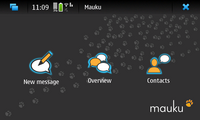
Mauku is the micro-blogging client for Maemo devices. It supports, for example, Twitter and compatible services.
With Mauku, you can post Tweets, a short blog posts about what are you doing. You can also follow what are your friends doing, and comment their Tweets.
For more information, visit http://mauku.innologies.com/ .
This package contains the main application.
Votes: 2
Easily create, install, preview, edit and delete image sets.
Typing .desktop files for image sets / wallpapers is not needed anymore!
Votes: 0
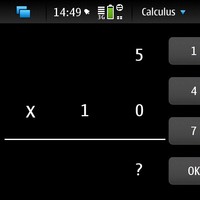
Calculus, mathematics training for kids.
- Donations are welcome: DONATE
Votes: 3
eSpeak GUI Client
- Changes in version 0.3-1 (2010-07-05):
- Fixed the issue where the input cursor always moved to the end after text pasting.
- Changes in version 0.3 (2010-06-24):
- Use PannableArea instead of ScrolledWindow as TextView's container for better finger-friendliness.
- Support pasting text at cursor insertion point.
- Support pasting text as to replace the currently selected text.
- Display localized application name in the application icon according to current system language.
- Add transparency to Restore button.
- Main Features
- A Hildon/Gtk+ GUI client written in Python for eSpeak, the open source command-line text-to-speech tool.
- Selection of 49 languages, including voice packs that are still in experimental status (default English)
- Amplitude (0 to 199, default 100) adjustment.
- Pitch (0 to 99, default 50) adjustment.
- Speed (words per minute, 80-390, default 170) adjustment.
- Word Gap (in milliseconds, 0-20, default 10) adjustment.
- Opening a text file and loading its contents to the text box for editing and speaking.
- Direct pasting text contents to the text box for editing and speaking (no need to press Ctrl-V)
- One-click-clearing text contents of the text box
- Saving the speech to a .Wav file.
- Speak multiple sentences simultaneously
- Stop speaking at any time
- Toggling between Full Screen / Window mode.
- Portrait Mode Support (experimental).
- Saving the language/amplitude/pitch/speed/word gap selection when program exits, and loads them back when program launches automatically.
- Supports multi-language user interfaces based on the Device Language selected.
- Traditional Chinese, Simplified Chinese, Cantonese and English UIs will be provided initially

Votes: 10
Shows the Wi-Fi signal from 1 - 10 in the status area
Note: By default, it checks every two seconds. This can be changed from Control Panel.
It stops checking if the display is off/the applet is not visible/ you aren't connected to a Wi-Fi network.
Votes: 1
Conboy plugin to store notes in Midgard content repository.

Votes: 6
Support for SIXAXIS(TM) PS3 controller
Votes: 0
A simple gui for mounting remote shared partition
like samba and nfs, and have it browsable under the standard file manager.